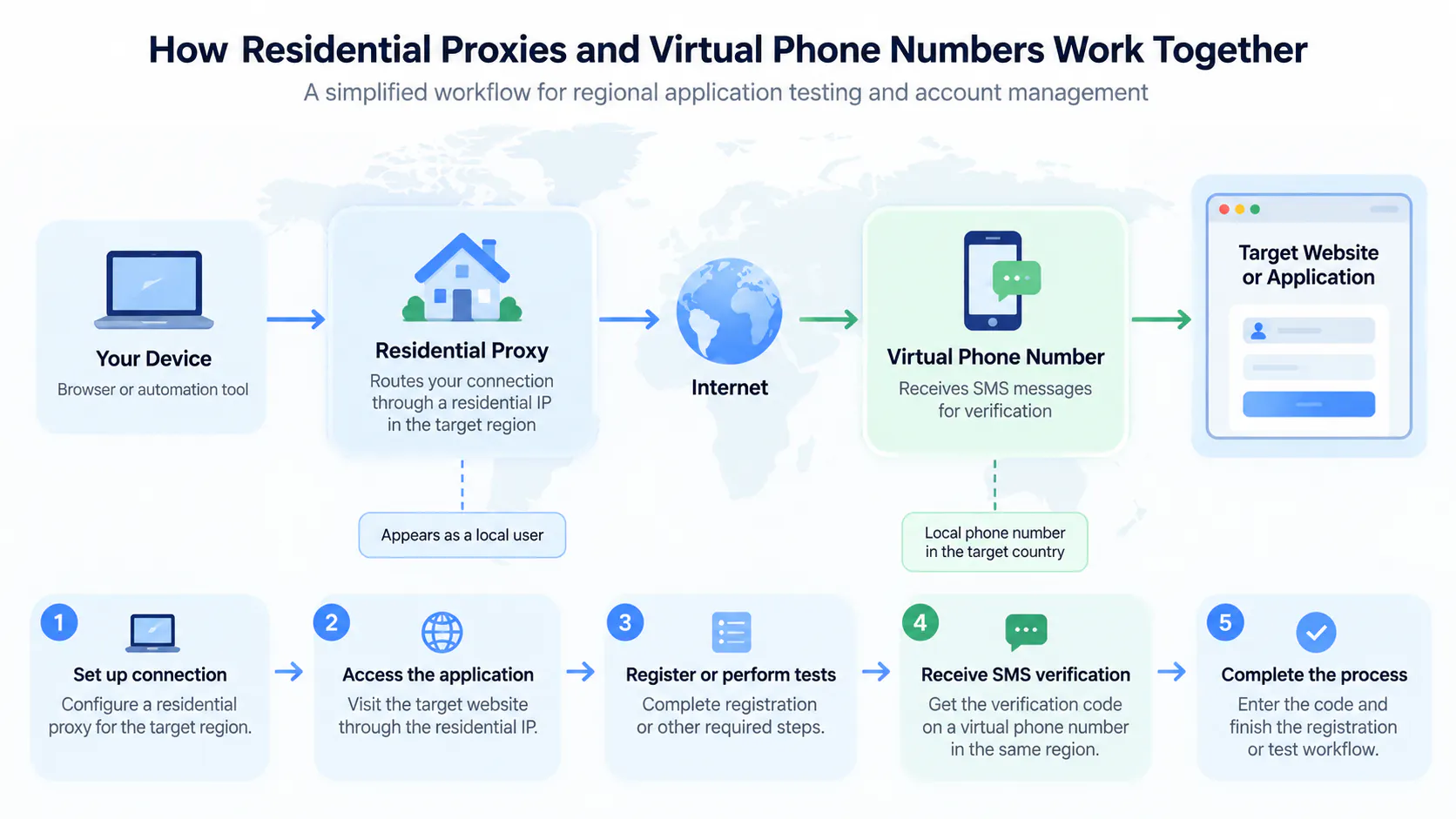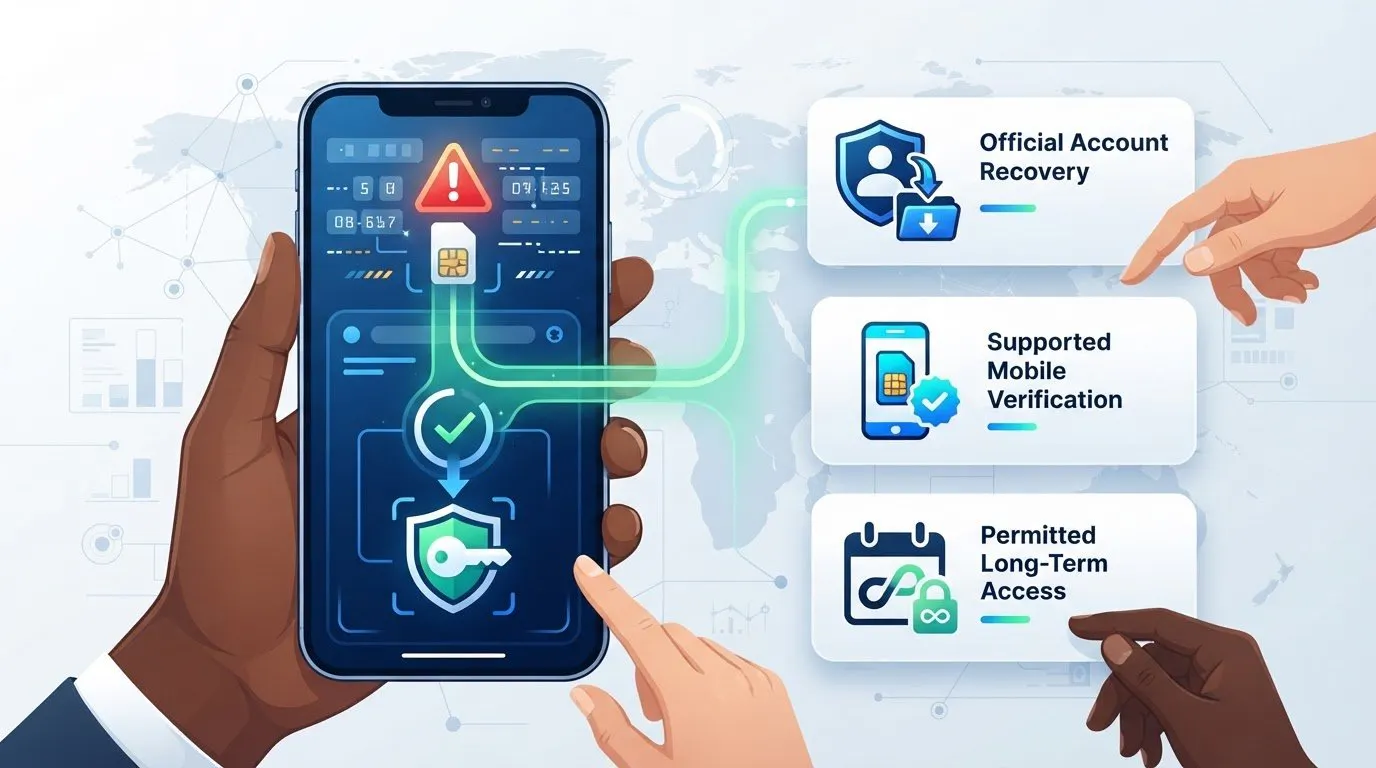
If you’re searching “my virtual number was detected how to fix,” first separate the likely causes. The service may not accept that number type, the number may have a reuse or reputation issue, or your account may need additional verification. A rejection doesn’t automatically mean something is wrong with your account. Check the error before trying again, since repeated requests can create more friction.
It’s frustrating when a code doesn’t arrive and the error doesn’t explain why. This guide shows how to identify what may have triggered the rejection, check the service’s rules, and follow its approved recovery process without trying to disguise the number or bypass safeguards. You’ll also learn how to compare an eligible SMS activation, a longer-term rental for an ongoing need, and another verification method. Acceptance depends on the platform, so confirm its requirements before making another attempt.
Key Takeaways
- A rejection doesn’t automatically mean the number is fraudulent or your account is permanently blocked. The platform’s message and policies offer important clues.
- Number type, provider classification, prior use, and regional support can affect verification. A recycled number may also have an unrelated history.
- For “my virtual number was detected how to fix,” start with the exact error and the service’s approved recovery steps instead of repeating attempts.
- Compare official recovery, a supported mobile number, and a permitted rental based on account eligibility, ongoing access, privacy, and control of incoming messages.
- Choose SMS activation or a longer-term rental only if the service permits that number type. Check current number and service support before deciding.
Table of Contents
- My virtual number was detected: what the message means
- Why a virtual number may be detected or rejected
- Compare safe fixes before changing your virtual number
- How to fix a detected virtual number: a safe step-by-step process
- Choose a compliant number option for future verification
My virtual number was detected: what the message means
A platform may reject a number because it doesn’t meet that service’s verification policies. That doesn’t automatically mean the number is fraudulent or that your account is permanently blocked. If you’re asking “my virtual number was detected how to fix,” first identify what failed: number eligibility, message delivery, or account access. The right next step depends on what the service reports.
Virtual-number detection is a service’s process of assessing whether a phone number appears to be virtual and whether it can be used for verification under that service’s policies. Platforms may use number-type, provider, or network information as signals, but their checks and decision criteria differ. A number classification is not, by itself, a finding about the user or account.
What does virtual-number detection mean?
A virtual number can receive messages through an online service rather than through a conventional mobile connection. Some use Voice over Internet Protocol (VoIP), which carries voice communications over internet networks. A platform may classify a number by its provider or apparent line type, then decide that it doesn’t support that category for registration or recovery.
That classification is separate from an account-level restriction. A number rejection may prevent you from using that number for verification while leaving an existing account unaffected. An account warning, lock, or identity review request is a different issue. Follow the instructions shown in the account rather than assuming one error means the other.
Is the number rejected, or is verification temporarily unavailable?
Check the exact wording before changing your number or trying again. Note whether the service says the number is unsupported, confirms that a code was sent, or reports a temporary problem. Also check whether the message appeared during sign-up, sign-in, or account recovery. The same number may be treated differently depending on the process.
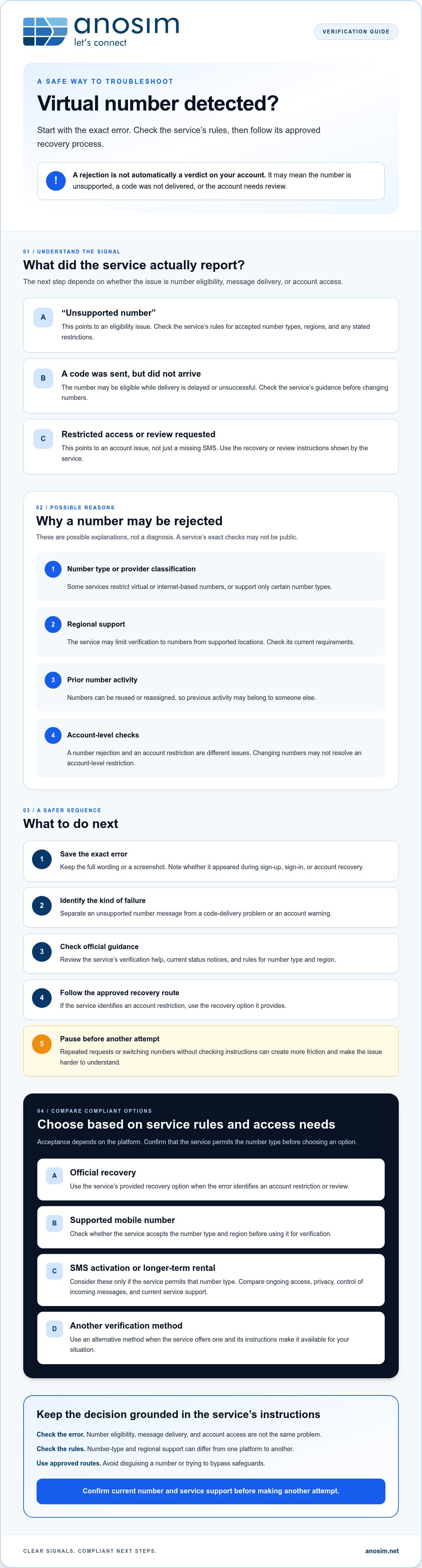
An explicit “unsupported number” message points to an eligibility issue. If the service says a code was sent but nothing arrives, the number may be eligible while delivery is delayed or unsuccessful. A notice that access is restricted or requires review points to an account issue, not just a missing SMS.
- Save the full error text or a screenshot for reference.
- Check the service’s official status notices and verification help before making changes.
- Use the recovery option provided by the service if the message identifies an account restriction.
Error wording, recovery options, and review processes vary by service. Confirm the specific issue first. Repeated requests or switching numbers without checking the service’s instructions can make it harder to understand what happened.
Why a virtual number may be detected or rejected
A rejection can reflect the number’s characteristics, its history, or the service’s eligibility rules. The platform’s exact checks may not be public, so treat these as possible explanations, not a diagnosis. A line-type rejection differs from a code that fails to arrive or an account restriction. The error message and the service’s help page are more useful than assumptions about its internal screening.
Can VoIP or internet-based numbers be unsupported?
Some services accept certain virtual numbers; others restrict them or support only specific number types or regions. VoIP, or Voice over Internet Protocol, carries communications over an internet connection. A conventional mobile number is associated with a mobile carrier connection. The FCC consumer guide on VoIP explains the technology, but it doesn’t define which numbers a particular platform accepts.
A provider or number-type classification may be one signal a service considers. Regional availability can matter too: a service might limit verification to numbers from supported locations. Check the target service’s current help page for its rules, including any stated restrictions on VoIP, mobile numbers, or country codes. Don’t assume all internet-based numbers are handled alike.
Can number history or repeated attempts matter?
Numbers can be reused or reassigned, so a number’s previous activity may not relate to its current user. A service could consider a number’s history, but without public documentation, there’s no reliable way to know whether that caused a particular rejection. Changing numbers also won’t necessarily clear an account-level restriction or remove prior account history.
Repeated submissions may lead to additional verification checks on some services, though this isn’t a universal rule. If an attempt fails, pause and record the exact error before retrying. Note whether the service rejects the number immediately, confirms that it sent a code, or asks for account review. This helps distinguish a possible eligibility issue from a delivery or account problem.
Follow the service’s official troubleshooting or recovery instructions before changing anything. If its rules permit a virtual number and you need continued access to incoming messages, a longer-term number rental may be worth considering. First review the number type and service support. A rental is relevant only when it fits the platform’s requirements, and no number choice can guarantee acceptance.
Compare safe fixes before changing your virtual number
Choose a response based on what failed. If the service restricted your account, use its recovery process first. If it rejected only the number, check which number types it accepts before considering another option. Changing providers or numbers can’t guarantee acceptance or reverse an account decision.
- Official recovery: the best fit for an account lock, review, or recovery request. Ongoing access depends on the recovery methods the service offers, and you use the service’s approved process, following its instructions for sharing information.
- Supported mobile number: consider it only if the service accepts that number type and region. You can generally receive future messages while you retain access to the number; messages go to a number you control, but you must provide it to the service.
- Permitted rental: suitable only when the service allows the number type and intended use. A longer-term rental may help if future verification messages are expected, so confirm the access terms. It can separate verification from a personal number, but check who can access incoming messages.
When should you use the platform’s official recovery process?
If you see an account restriction, identity-check request, or recovery notice, changing numbers won’t address the underlying issue. Start with the platform’s appeal, identity confirmation, or alternate verification method. Use official support channels and keep the exact error text, along with relevant dates or screenshots. This gives support useful context without creating more verification attempts.
When might a rented number be appropriate?
A rental may fit an ongoing verification need only when the service explicitly permits that number type. Consider whether you’ll need future messages and whether the rental terms provide the access you require. Virtual numbers may use internet-based systems such as Voice over Internet Protocol (VoIP), which a platform may or may not accept. Review rental information for a possible permitted use, not as a way to bypass a restriction or guarantee verification.
If you’re weighing “my virtual number was detected how to fix,” match the next step to the issue: recover a restricted account through the platform, or consider another number only after confirming the rules. For a permitted ongoing use, a dedicated number rental may be worth reviewing, but it can’t ensure platform acceptance.
How to fix a detected virtual number: a safe step-by-step process
If you’re searching “my virtual number was detected how to fix,” first identify whether the issue is delivery, number eligibility, or account access. Work through these steps in order, and don’t keep submitting the same number while the cause is unclear.
- Pause and capture the error. Stop repeated attempts. Save the exact message or take a screenshot, and note whether it appeared during sign-up, sign-in, or account recovery.
- Check the service’s rules. Read its current help page for supported number types, countries, and verification methods. Follow its official troubleshooting instructions rather than relying on assumptions about its checks.
- Identify what failed. If the service says the number is unsupported, look for an allowed alternative. If it says a code was sent, check delivery before concluding the number was rejected. If it flags the account, use the account recovery or appeal process.
- Verify the number details. Confirm the country selection and enter the number in the international format requested by the service. Check whether the number can receive the expected SMS and whether the provider reports a delivery issue.
- Review service-specific instructions before retrying. Some services specify a cooldown or other conditions after failed attempts. Follow the published guidance. If timing isn’t stated, check with official support instead of guessing.
- Choose an approved next step. If the number type isn’t supported, use a verification method the service permits. Make sure you’ll retain access to future messages if needed.
What if the service still rejects the number?
Stop retrying and contact the service through its official support or appeal channel. Include the exact error and relevant details, but share sensitive information only through the service’s verified process. If its policy requires a personal or business mobile number, use one you control that meets its stated criteria. Don’t create replacement accounts to get around a restriction or verification requirement.
A different provider or number may not resolve an account-level block, and no number can guarantee acceptance. If the platform allows the number type and intended use, you can review Anosim’s inbound SMS activation options before choosing. Confirm supported services and number details first. SMS activation is an option only where the service’s rules permit it.
Choose a compliant number option for future verification
Choose a number based on the service’s current rules, how you’ll use the account, and whether you may need verification messages later. A personal mobile number can make ongoing access straightforward if you control the line and the platform accepts it. A permitted virtual number can help separate sign-ups from your primary number, but acceptance and message access depend on the service’s requirements and rental terms.
Before deciding, consider what happens if you lose access to the number. An account that may need recovery later calls for a number you can continue to use, not just one that receives an initial verification code. For added privacy, check what information the service requires and avoid sharing your primary number unless its rules or your use case call for it.
Is a long-term virtual number right for ongoing account access?
Continuity matters if the service may send a future login or recovery code. Before selecting a rental, confirm that the service permits its number type and region, and check current availability and the terms for receiving messages. Anosim supports inbound SMS; it doesn’t provide physical SIM delivery, outgoing SMS, or outgoing calls, and only Mobile VoIP rentals can also receive calls. A long-term number rental may suit an allowed ongoing use, but it can’t guarantee platform acceptance or restore a restricted account.
How can you reduce verification problems next time?
Use a number type the service explicitly accepts, and keep reliable access to incoming messages for as long as the account may depend on it. Avoid disposable numbers for accounts that require ongoing recovery access. If you’re unsure whether a virtual number is permitted, check the platform’s verification and privacy guidance before using one. If you’re still asking “my virtual number was detected how to fix,” confirm the service’s rules first, then choose a number option that fits them.
Review the rental details and supported options before deciding. Treat a rental as a communications choice, not a workaround for account checks.
Choose your next verification step with confidence
A detected number doesn’t automatically mean your account is permanently blocked. First identify whether the problem is number eligibility, SMS delivery, or an account restriction. Then follow the service’s approved instructions instead of repeatedly retrying or cycling through numbers. If you’re searching “my virtual number was detected how to fix,” the safest solution is the one that fits the platform’s rules and your need for future access.
A personal mobile number may suit an account that requires ongoing recovery access. If the service permits virtual numbers, consider whether inbound SMS activation or an extended rental fits your intended use. Anosim also offers mobile VoIP rental options. Check current number coverage and service compatibility before choosing. No option guarantees acceptance or account recovery.
Review Anosim’s number options and confirm they fit the service’s requirements before choosing.
Frequently Asked Questions
Why was my virtual number detected?
A service may classify a number by its type, provider, or region, then reject it under its verification policy. Prior use or reassignment may also be relevant, though a platform’s specific checks often aren’t public. A rejection doesn’t prove the number is fraudulent or that your account is blocked. If you’re asking “my virtual number was detected how to fix,” first identify whether the notice concerns the number, message delivery, or account access.
Can I fix a detected virtual number without changing it?
Possibly, if the issue is an incorrect number format, a temporary delivery problem, or an available alternative verification method. Check the country selection, international format, and service instructions before retrying. If the service explicitly says the number type isn’t supported, repeated attempts with the same number are unlikely to resolve that eligibility issue. Follow the platform’s official recovery route if the message refers to an account restriction.
Will renting a new virtual number guarantee that verification works?
No. A different number or provider can’t guarantee acceptance, because each service sets its own verification rules and may restrict particular number types or regions. Before renting, check whether the platform permits that type and whether you’ll retain access to incoming messages for future verification. Anosim offers inbound SMS activation and number rentals, but these options don’t reverse platform decisions or guarantee verification.
What should I do if the verification code does not arrive?
First check whether the service confirms that it sent a code or instead reports an unsupported number. Verify the number’s country selection and format, then check whether the number can receive the expected SMS. Review the platform’s troubleshooting instructions and any stated waiting period before requesting another code. If delivery still fails, use the service’s official support route and provide the error details rather than submitting repeated requests.
Can a VoIP number receive SMS verification codes?
Some VoIP numbers can receive SMS, but capability depends on the number and provider. A service may also block VoIP numbers even when they can technically receive messages. Check both the provider’s inbound SMS support and the target platform’s number eligibility rules. Anosim supports inbound SMS workflows, but users should verify current number availability and service compatibility. Don’t assume a particular number will work with a specific platform.
Should I keep retrying after a service rejects my number?
No. Pause and save the exact error before trying again. Repeated submissions may prompt additional checks on some services, though policies differ. Read the platform’s current troubleshooting instructions for any retry limits or cooldown guidance. If the number is explicitly unsupported, use an allowed verification method. If the notice concerns account access, contact the platform through its official recovery or appeal process instead of cycling through numbers.
Is it safe to use a virtual number for an account I need long term?
It can be appropriate if the service permits that number type and you can keep access to incoming messages. Consider whether you may need the number for future sign-in or account recovery, and review the provider’s rental terms and message access arrangements. For an account that depends on reliable long-term recovery, a number you personally control may be a better fit if the platform accepts it.
What should I do if my account was restricted after number verification?
Use the platform’s official account recovery or appeal process. A restriction is an account-level issue, so changing numbers may not resolve it and could complicate troubleshooting. Follow the instructions shown in the account, retain the exact error and relevant details, and submit information only through verified support channels. Don’t create replacement accounts to get around a restriction or verification requirement. Wait for the platform’s guidance before attempting another verification method.
Review Anosim’s virtual number rental options and confirm they fit the service’s requirements.