A signup form can become a breach point if security gaps or compromised accounts expose information an app collects. Fear of data breaches from app signups is understandable, especially when a service asks for personal details or login credentials. The risk depends on what data the app collects and how it protects it.
It’s reasonable to wonder what may happen to your information after you create an account. This article explains how common security weaknesses can lead to breaches, which kinds of data may be exposed, and how privacy and breach-notification rules vary by jurisdiction.
You’ll also learn how safeguards such as encryption, access controls, and multi-factor authentication can reduce risk, and why an app’s signup process matters. The aim is to explain what a breach can mean for users and how to weigh privacy trade-offs before sharing information.
Key Takeaways
- Recognize how flaws such as SQL injection and weak login protections can put app data at risk.
- Learn why exposed email addresses and passwords can create risks beyond the app where they were collected.
- Identify how the type of information an app stores affects the potential impact of a breach.
- Understand why breach notification and data protection rules can differ by jurisdiction.
Table of Contents
- Encryption and technical security gaps
- Information stolen in data breaches
- Sensitive customer data exposure
- How common are data breaches involving mobile app signup information?
- Anosim: SMS Activation
Encryption and technical security gaps
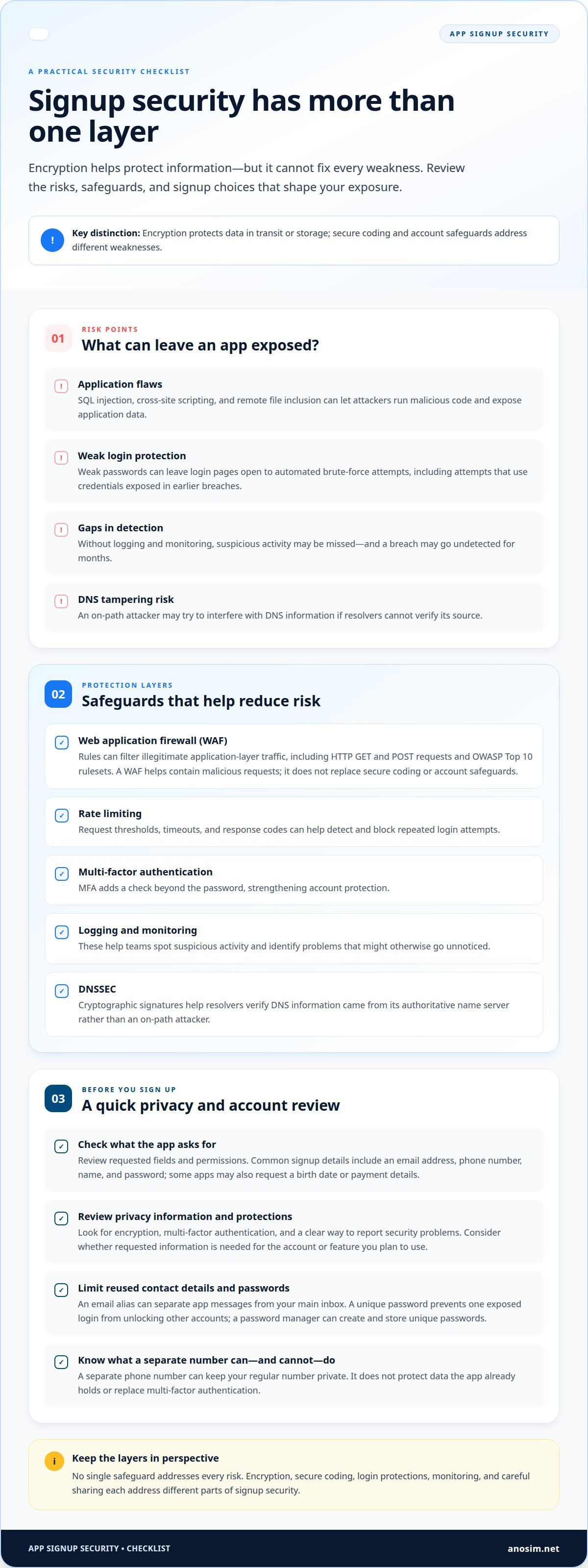
Encryption protects data in transit or storage, but it can’t fix every weakness in an app. SQL injection, cross-site scripting, and remote file inclusion can let attackers run malicious code and expose application data. Fear of data breaches from app signups often comes down to whether an app uses safeguards beyond encryption.
A web application firewall can filter illegitimate application-layer traffic through rules for HTTP GET and POST requests, including OWASP Top 10 rulesets. It helps contain malicious requests, but does not replace secure coding or account safeguards. Weak passwords also leave login pages open to automated brute-force attempts using credentials exposed in earlier breaches.
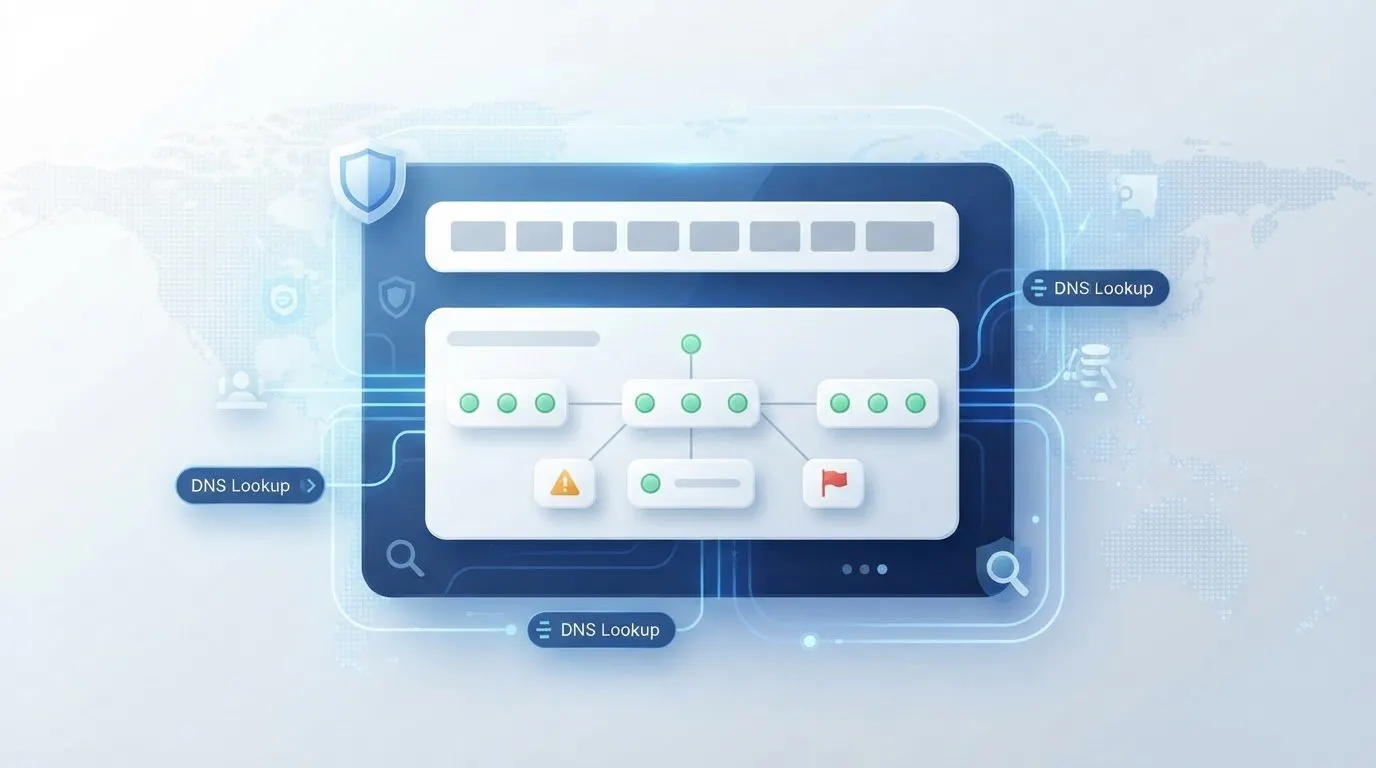
Rate limiting can detect and block repeated login attempts using request thresholds, timeouts, and response codes. Multi-factor authentication adds a check beyond the password. Logging and monitoring help teams spot suspicious activity—an area where security specialists like cyberone.security provide managed detection and response—since without ongoing surveillance, a breach may go undetected for months. DNSSEC uses cryptographic signatures to help resolvers verify that DNS information came from its authoritative name server, rather than an on-path attacker.
Assessing app privacy and security
Assess an app’s privacy and security before signup by reviewing its data requests, protections, and account controls. An app may collect more than it needs to create an account. Fear of data breaches from app signups can prompt a focused review: read the privacy information, check requested permissions, and look for encryption, multi-factor authentication, and a clear way to report security problems. These checks help you judge your exposure before entering contact details.
Signup safeguards for contact details and passwords
Email aliases, separate phone numbers, and password managers can help reduce how much personal contact information you reuse and protect your login credentials. Their usefulness depends on the signup requirements and how you manage account recovery. An alias can keep an app’s messages separate from your main inbox, while a unique password prevents one exposed login from unlocking other accounts. A password manager can create and store unique passwords. A separate number can keep your regular number private, but it won’t protect data the app already holds or replace multi-factor authentication.
Information stolen in data breaches
A breach can expose signup details directly or combine them with information stolen elsewhere. The consequences depend on which records attackers obtain and whether users reused credentials.
Collection 1 illustrates how breach datasets can combine old and newly exposed information. When it appeared online in January 2019, it contained 773 million email addresses and 21 million passwords from previously known breaches. It also included 140 million addresses and 10 million passwords absent from earlier disclosures. A familiar email address may therefore appear alongside credentials collected from different services.
How often signup data is breached
Breach frequency describes how often organizations lose or expose customer information, though available figures don’t isolate app signups. That distinction matters: a broad incident total can show the scale of exposure, but not the specific risk of one app’s signup form. In 2022, more than 1,800 U.S. customer data incidents compromised data and affected more than 400 million individuals.
Social networks have experienced major breaches. LinkedIn’s 2012 breach exposed email addresses and encrypted passwords for 117 million users. That example shows that an app or network can expose account data even when passwords are encrypted. The type of information exposed varies by incident.
Checking for app and company breaches
To check for a breach, look for the organization’s incident notices and compare them with reputable public reporting. This can help you determine whether your account information may be involved. Search the app’s official website and support announcements for breach notices, then look for reports identifying the company and the data affected.
Compare the notice with your account’s signup email and the incident details. A general warning about a company doesn’t necessarily mean your specific account was affected. Treat unsolicited breach messages with care: attackers may exploit breach concerns to make phishing attempts seem credible.
Responding to exposed signup information
Respond by securing accounts that use exposed details and limiting further misuse. If a password was exposed, change it on the affected account and anywhere else you reused it. Choose a unique replacement and enable multi-factor authentication where available. Stolen credentials may be tested on other login pages, so these steps matter.
If your email address was exposed, watch for messages impersonating the app or referring to the incident. Don’t open unexpected links or provide login details through a message. Review account activity and payment records if those details were involved, and follow the company’s notice for information about the data exposed.
Sensitive customer data exposure
The impact of a breach depends on which customer data is compromised and how it could be used. Signup details can connect an online profile to a real person, an inbox, or another account.
Personal data collected during signup
Signup data is the information an app requests to create or verify an account. Common examples include an email address, phone number, name, and password. Depending on the account’s purpose, an app may also request a date of birth or payment details. Knowing which fields are required helps you distinguish essential account information from details you may choose not to share.
Review each form field before submitting it. If a service asks for payment information during signup, consider whether it’s needed for the feature you plan to use. A profile combining a name, birth date, and contact details can reveal more about someone than an email address alone.
Risks of sharing personal information
Personal information is at risk if an attacker accesses stored records or intercepts an unencrypted session. For example, unencrypted customer sessions can expose passwords and credit-card numbers. A compromised email account may also help an attacker target password resets or send convincing messages impersonating the app.
The scale of a leak can make exposed records easier to circulate and misuse. In 2025, the Everest group claimed access to 343GB of Under Armour internal and customer data. Nearly 192 million Under Armour records were later leaked online after ransom demands were not met. That example shows how customer data exposure can extend beyond the signup form.
Limit unnecessary exposure by sharing only what’s needed to create the account. Use a unique password, and leave optional profile information blank unless there’s a clear purpose for it. If an app requests your phone number, consider whether you want that identifier connected to the account. The right choice depends on the app’s features and the information it requires for access.
How common are data breaches involving mobile app signup information?
There’s no single figure here that measures breaches limited to mobile app signup forms. Broader breach statistics provide context, but combine different organizations, incidents, and types of records. A reported breach rate can’t tell you the precise chance that one app will expose your signup details. Instead, consider how apps store data, connect to other services, and respond when an account or supplier is compromised.
Third parties are part of that risk picture. Verizon’s 2025 DBIR reports that third-party breaches are involved in 30% of breaches. Organizations also use over 100 different SaaS applications on average, expanding the network of services that may process business information. For an app user, this means signup data can be held or handled across connected systems, not only within the app’s visible interface. The statistic does not mean 30% of app signups are breached.
Attack methods also help explain why exposed information can spread. IBM cites phishing as responsible for 16% of breaches. A convincing message may prompt a person to reveal credentials or follow a link to a fraudulent login page. BlackFog reports data exfiltration in 96% of ransomware attacks. Exfiltration means attackers take information out of an affected system, creating a risk beyond temporary service disruption. These figures describe wider breach patterns, not app-specific signup incidents.
Legal protections also vary by location. As of 2018, all 50 U.S. states had data breach laws on the books. California law requires affected persons or businesses to notify people affected by a breach without reasonable delay and immediately following discovery. The EU’s 2018 data protection law is intended to make companies and data brokers consider more seriously what information they collect and store. For users across countries, the applicable rules depend on jurisdiction and the circumstances of the incident. A notice’s timing, stated data types, and instructions are practical details to review.
Anosim: SMS Activation
Anosim provides SMS Activation to receive verification codes during online signups. If an app accepts a separate number for verification, using one can keep your regular phone number separate from that account. This limits the contact detail you share, but doesn’t control how the app stores or protects information you provide.
Anosim also offers Rent Number, Rent Service, and Rent Mobile VoIP for virtual number rentals. SMS Activation is designed for verification-code use. Choose the option that fits the signup process and the information it requires.
Visit anosim.net to explore Anosim’s SMS Activation options.
Make your next signup a deliberate choice
Before creating another account, decide what information you’re comfortable connecting to it. Separate essential account details from optional profile fields, and consider whether the service’s features justify each request. This pause turns fear of data breaches from app signups into a practical privacy decision: share intentionally, rather than entering every detail by default.
For recurring signups, follow a consistent approach. Use unique passwords, keep recovery details current, and review what your profile displays after registration. If an app requires phone verification, consider how that requirement fits your privacy preferences before proceeding. These choices can’t control an app’s security practices, but they can help limit the personal details tied to each account.
If verification workflows are part of your online operations, contact Anosim to discuss your requirements. A clear signup policy gives you a practical starting point, and each account can be handled with greater care.
Frequently Asked Questions
What is a Data Breach & How to Prevent It?
A data breach occurs when information is accessed, disclosed, altered, or taken without authorization. For an app account, that could mean someone obtains profile details or uses a compromised login. Before signup, consider whether the app needs each requested permission. After creating an account, review active sessions and remove access from devices you no longer use. These habits can help limit exposure and spot unfamiliar activity.
What steps can users take to protect their information when creating app accounts?
Share only details that serve a clear purpose for the account. For example, a photo-editing app may not need access to your contacts, so deny that permission if it isn’t required for a feature you use. Avoid adding optional profile information, and check whether the app lets you remove stored details or close your account later. Revisit permissions if the app’s features or your needs change.
What U.S. laws require companies to notify users about data breaches?
State laws govern breach notifications, and requirements differ across the United States. As of 2018, all 50 states had data breach laws on the books. California law requires affected persons or businesses to notify people affected by a breach without reasonable delay and immediately following discovery. The applicable rule depends on the state and incident, including the information involved and who was affected.