Managing online accounts, verifying digital identities, and running automated workflows across different regions have become increasingly common business activities. Whether you're operating multiple business profiles, testing registration processes, collecting market data, or managing browser-based automation, the quality of your network infrastructure can have a direct impact on operational efficiency.
One important part of this infrastructure is the IP address behind each connection.
Traditional data center IPs are suitable for many server-based tasks, but they may not always reflect the network characteristics of everyday residential users. For workflows that require geographically relevant connections and residential IP addresses, residential proxies offer a practical alternative.
When combined with reliable SMS verification services and appropriate automation tools, residential proxies can help create more organized and flexible workflows.
In this guide, we'll explore how residential proxies work, how they differ from mobile proxies, and how solutions like Swiftproxy can support location-specific online operations.
Key Takeaways
- Residential proxies route internet traffic through IP addresses associated with residential networks, making them useful for location-specific online tasks.
- Rotating residential proxies provide access to different IP addresses, while static residential proxies maintain a consistent connection.
- Residential proxies and SMS verification services perform different functions but can complement each other in legitimate account management workflows.
- Geographic targeting, session management, and protocol compatibility are important factors when selecting a residential proxy provider.
- Swiftproxy offers 90M+ residential IPs across 220+ locations, with both dynamic and static residential proxy options.
What Are Residential Proxies and How Do They Work?
A residential proxy is an intermediary server that routes your internet traffic through an IP address associated with a residential internet connection.
Instead of connecting directly to a website using your original IP address, your request passes through the proxy server first. The destination website sees the proxy's residential IP address as the source of the connection.
This approach is particularly useful when online operations require access from specific geographic locations.
For example, an e-commerce business monitoring product prices in several countries may need to access localized versions of the same website. A residential proxy allows the business to route requests through IP addresses associated with those target regions.
Residential proxies generally come in two main types:
Dynamic Residential Proxies
Dynamic residential proxies rotate IP addresses based on predefined settings or session configurations. They are useful for tasks involving repeated requests, large-scale data collection, and geographic research.
Static Residential Proxies
Static residential proxies provide a consistent IP address over an extended period. They are more suitable for workflows that require session continuity, such as ongoing website monitoring or maintaining a consistent connection to a business platform.
Choosing between these two types depends on the nature of your online activities and how much connection consistency your workflow requires.
Residential Proxies vs. Mobile Proxies: What's the Difference?
Residential and mobile proxies both provide IP addresses associated with consumer internet connections, but they rely on different network infrastructures.
Residential proxies use IP addresses associated with residential internet service providers, while mobile proxies route traffic through cellular networks operated by mobile carriers.
Understanding this distinction is important when selecting the right solution.
- Network source: residential proxies: Residential ISP networks; mobile proxies: Mobile carrier networks
- IP characteristics: residential proxies: Residential IP addresses; mobile proxies: Cellular network IP addresses
- Common applications: residential proxies: Web scraping, SEO research, browser automation; mobile proxies: Mobile environment testing, mobile-focused workflows
- Session options: residential proxies: Rotating and sticky sessions; mobile proxies: Rotation and session options vary by provider
- Geographic targeting: residential proxies: Often supports country, city, and ISP targeting; mobile proxies: Depends on carrier and provider coverage
Neither type is universally better. Residential proxies are a practical choice for location-specific web access, data collection, and browser automation, while mobile proxies are more appropriate when a task specifically requires a cellular network connection.
The key is to match the proxy infrastructure to the technical requirements of the workflow rather than choosing a proxy type based on general assumptions about reliability.
How Residential Proxies Complement SMS Verification Workflows
SMS verification is commonly used to confirm user identities during account registration, login, and security checks.
Services such as Anosim provide virtual number solutions that allow users to receive verification messages without exposing their personal phone numbers.
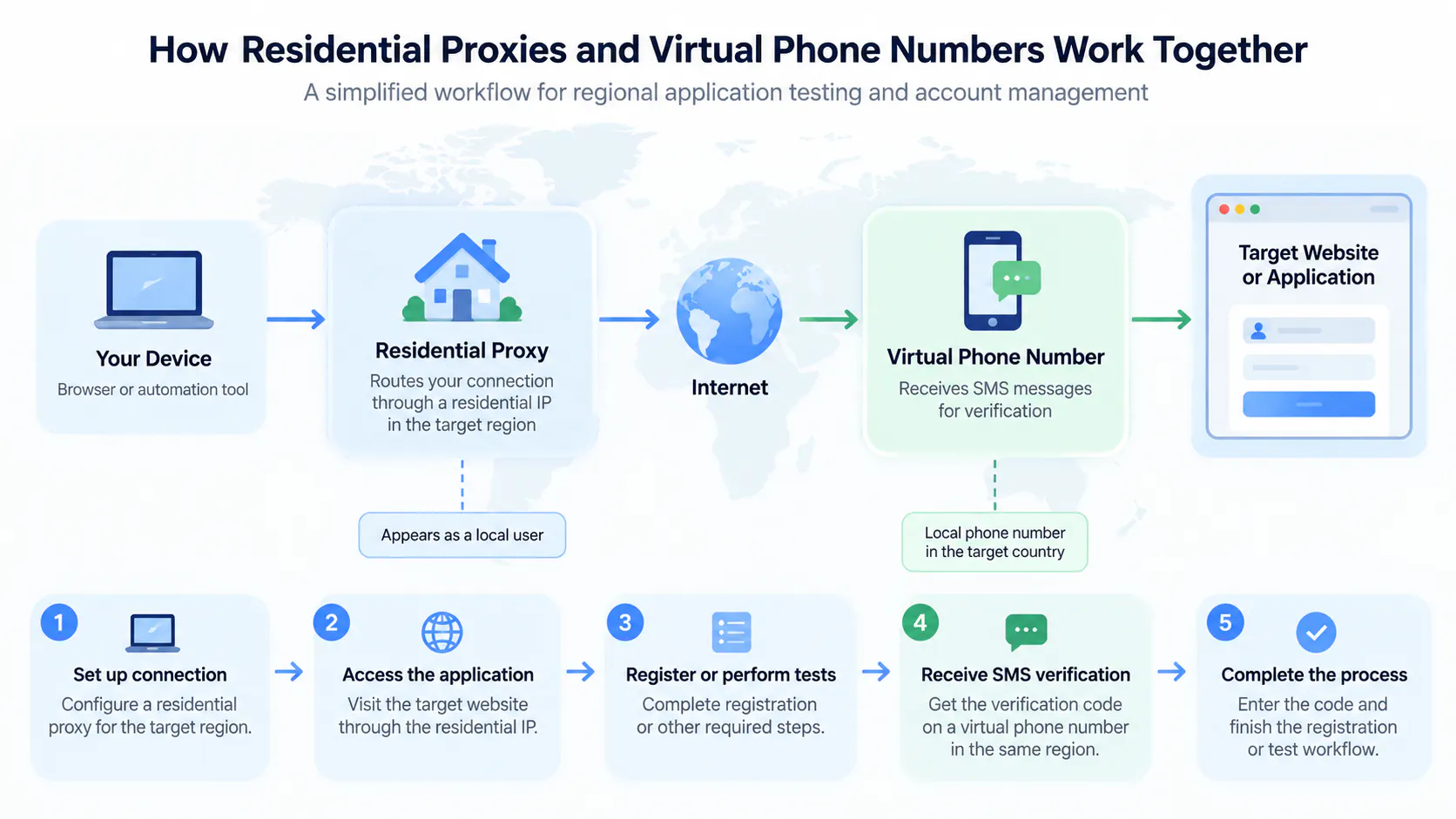
However, SMS verification and IP-based network access address two different parts of an online workflow.
- SMS verification handles the phone number and one-time password (OTP) verification process.
- Residential proxies manage the network connection and provide access through residential IP addresses.
For businesses and developers managing legitimate testing or account verification workflows, these services can serve complementary purposes.
Consider a company testing its registration experience across several geographic markets. The development team may need to evaluate how localized registration pages behave, confirm that SMS notifications are delivered correctly, and check whether regional settings are displayed as expected.
A residential proxy can help simulate connections from the relevant geographic locations, while an SMS verification service can provide the necessary phone number infrastructure for testing.
When designing these workflows, developers should also consider:
- Geographic Consistency: The network location and phone number region should be appropriate for the test scenario.
- Session Management: Maintain consistent connections when a testing process requires multiple steps within the same session.
- API Integration: Automate repetitive verification and network configuration tasks through supported APIs.
- Platform Compliance: Always follow the applicable platform policies and use verification services for authorized testing and legitimate account activities.
Separating these responsibilities makes the overall workflow easier to manage and troubleshoot.
Swiftproxy: Residential Proxy Solutions for Global Online Operations
For users looking for residential proxy infrastructure with broad geographic coverage and flexible session management, Swiftproxy offers dynamic and static residential proxy solutions.
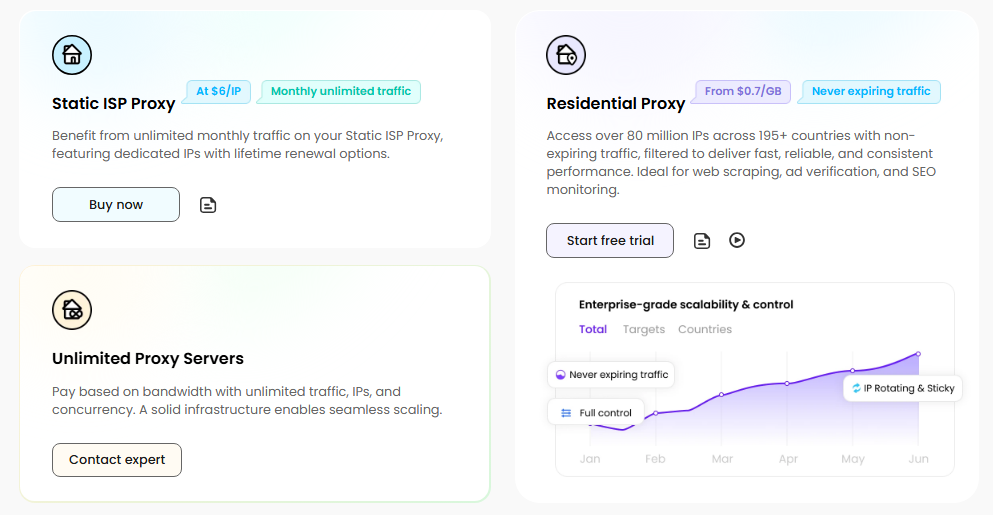
Its network includes more than 90 million residential IPs across 220+ locations, supporting a variety of online operations that require geographically diverse connections.
Here are some of its main features:
Global Residential IP Coverage
Swiftproxy provides access to residential IPs across more than 220 locations, with country, city, and ISP-level targeting options. This helps users configure connections according to their geographic requirements.
Dynamic Residential Proxies
Dynamic residential proxies support rotating IP addresses and sticky sessions, making them suitable for web scraping, automated browsing, market research, and location-specific data collection.
Static Residential Proxies
For tasks that require a consistent residential IP address, Swiftproxy also offers static residential proxies. These are useful for longer-running sessions and ongoing online operations.
Flexible Integration
Swiftproxy supports HTTP(S) and SOCKS5 protocols, together with API and username/password authentication. This makes integration with existing applications and automation tools more convenient.
Flexible Traffic Validity
Dynamic residential traffic does not expire until used, while static residential proxy traffic is valid for 30 days, allowing users to plan their usage according to project requirements.
Free Trial for New Users
Users can try Swiftproxy before committing to a paid plan, making it easier to evaluate IP quality, geographic coverage, and compatibility with their existing workflows.
For developers, businesses, and individuals who need residential IP infrastructure for international online tasks, Swiftproxy provides a flexible option worth exploring.
Best Practices for Managing Proxy-Based Workflows
Having access to residential proxies is only one part of building an effective online workflow. Proper configuration and management are equally important.
Here are several practices worth following:
Match the Proxy Type to the Task
Use rotating residential proxies for tasks that benefit from IP diversity. Choose static residential proxies when maintaining a consistent connection is more important.
Keep Geographic Settings Consistent
When conducting regional research or testing localized services, configure the proxy location according to the target market. Consider other relevant localization settings, such as language and timezone, where appropriate.
Monitor Connection Performance
Track response times, connection failures, and traffic consumption. Regular monitoring helps identify configuration issues before they affect larger workflows.
Use APIs for Repetitive Operations
API integration can reduce manual configuration and simplify proxy management, especially when working with multiple applications or automated data collection systems.
Respect Website Policies
Residential proxies are infrastructure tools, not guarantees of access or immunity from platform restrictions. Always respect website terms of service, privacy requirements, and applicable data protection regulations.
Frequently Asked Questions
What is the main difference between residential and data center proxies?
Residential proxies use IP addresses associated with residential internet connections, while data center proxies originate from hosting or cloud infrastructure. Residential proxies are often preferred for geographic research and tasks that require residential IP characteristics, whereas data center proxies can be suitable for high-speed server-based operations.
Are residential proxies suitable for browser automation?
Yes. Residential proxies can be integrated with browser automation tools to support geographically targeted browsing, website testing, and data collection workflows. Sticky sessions can help maintain connection consistency during multi-step tasks.
Can I use residential proxies together with SMS verification services?
Yes. They serve different purposes and can complement each other in legitimate testing and account management workflows. Residential proxies handle network connections, while SMS verification services provide phone number and OTP functionality.
Should I choose rotating or static residential proxies?
It depends on your requirements. Rotating proxies are useful when different IP addresses are needed across requests. Static residential proxies are more appropriate when a task requires a consistent IP address over time.
What should I look for in a residential proxy provider?
Consider IP pool size, geographic coverage, targeting options, session management, supported protocols, authentication methods, pricing, traffic validity, and customer support.
Final Thoughts
Modern online operations increasingly depend on reliable network infrastructure. Whether you're conducting international market research, testing localized websites, collecting public web data, or building automated browser workflows, choosing the right proxy solution can make a meaningful difference.
Residential and mobile proxies serve different purposes, and understanding their respective strengths helps businesses select the infrastructure that best matches their requirements.
For workflows that need flexible residential IP access, geographic targeting, and rotating or consistent connections, Swiftproxy is one option worth considering. Combined with dedicated tools for SMS verification and automation, the right infrastructure can help developers and businesses build more organized and scalable online workflows.